How to Track TikTok Ads Conversions and Measure Campaign Performance
Accurate tracking is the foundation of every successful TikTok campaign. Here is how to set up, diagnose, and optimize your conversion measurement system.

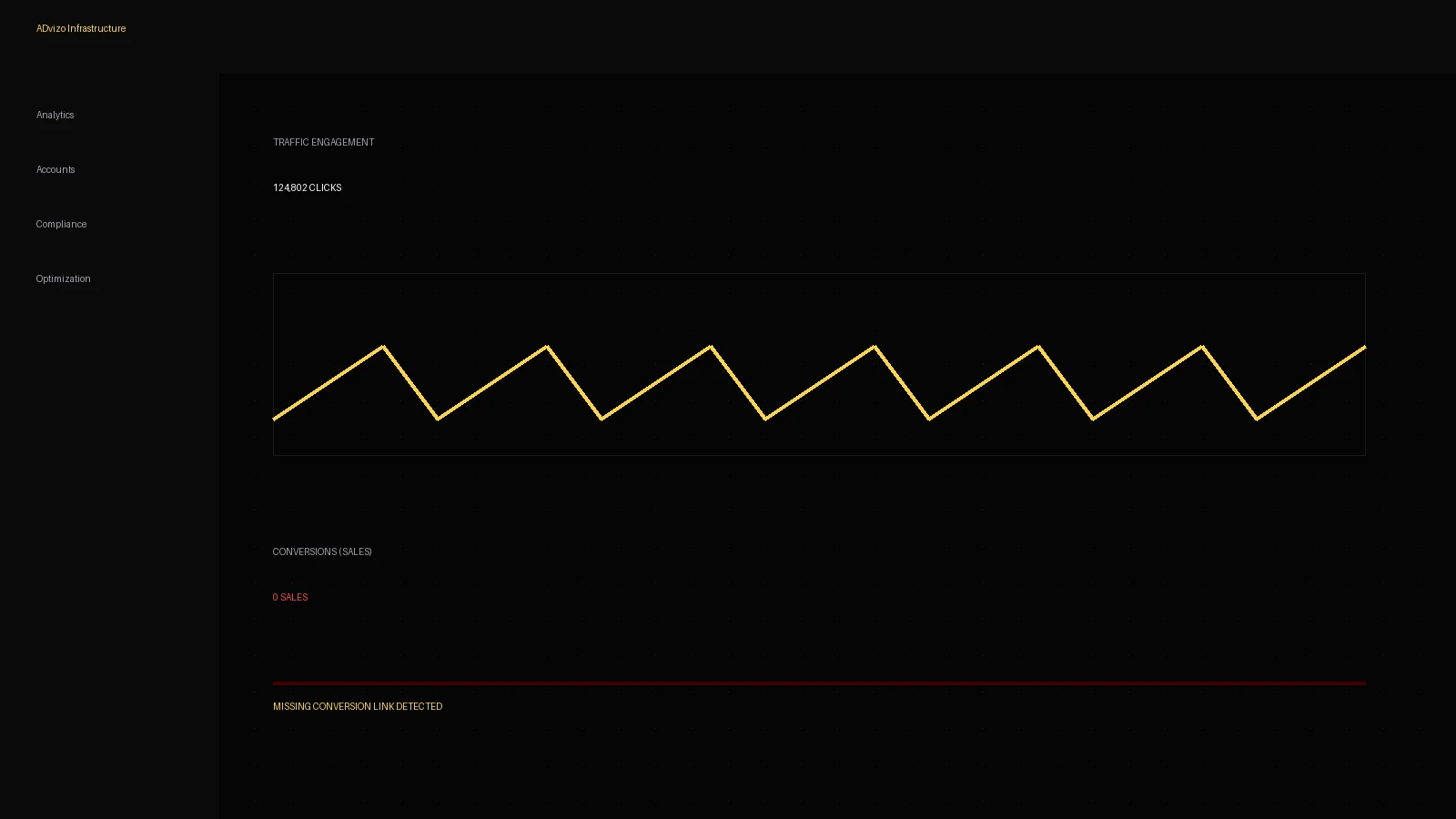
In the world of performance marketing, data is the only currency that matters. Without accurate conversion tracking, your TikTok advertising efforts are essentially operating in the dark. You might be seeing clicks and engagement, but if you cannot tie those actions back to a specific purchase, lead, or sign-up, you have no way of knowing which campaigns are actually driving ROI. Moreover, TikTok's powerful machine learning algorithm relies on conversion data to optimize your delivery. If the data you feed it is incomplete or inaccurate, the algorithm will struggle to find the right audience for your ads.
Tracking has become significantly more complex in recent years. The introduction of privacy-focused changes like iOS 14.4+ and the gradual phasing out of third-party cookies have made traditional browser-based tracking—like the standard TikTok Pixel—less reliable on its own. Today, a robust tracking setup requires a hybrid approach: combining client-side (browser) tracking with server-side tracking (Events API). This ensures that even when a browser blocks a pixel, the conversion is still recorded on the server and sent back to TikTok for attribution.
This comprehensive guide will walk you through the technical and strategic layers of TikTok conversion tracking. We will cover everything from the basic Pixel setup to advanced Events API integration, deduplication, and attribution modeling. We will also discuss how to use UTM parameters to reconcile TikTok's data with third-party analytics like Google Analytics 4 (GA4). By the end of this article, you will have a clear roadmap for building a tracking system that is both accurate and resilient in a privacy-first world.
Please note that TikTok's interface and technical requirements evolve frequently. While the principles of tracking remain stable, the exact buttons and menu names in TikTok Ads Manager may change. Always verify the current implementation steps against the latest official TikTok documentation to ensure your setup is compliant with their most recent standards.
Why Tracking Matters for TikTok Performance
Tracking is not just about 'counting' sales; it's about training the algorithm. TikTok's delivery system uses 'signals' from your pixel to understand who is most likely to convert. If your pixel is only capturing 50% of your actual conversions, the algorithm only has half the information it needs to find more buyers. This can lead to higher CPAs and unstable performance as the system 'hunts' for data in the wrong places.
Beyond optimization, tracking is critical for attribution—the process of determining which specific ad 'caused' a conversion. On TikTok, the path to purchase is rarely linear. A user might see your ad, keep scrolling, then come back two days later through a search engine to buy. Without proper tracking and attribution windows, TikTok might not get the credit it deserves, leading you to believe the platform is underperforming when it is actually driving significant top-of-funnel awareness.
The Foundation: The TikTok Pixel
The TikTok Pixel is a piece of JavaScript code that you install on your website. It allows TikTok to track visitor actions on your site, such as viewing a page, adding an item to a cart, or completing a purchase. For many e-commerce platforms like Shopify, WooCommerce, and BigCommerce, there are direct integrations that make installing the pixel as simple as pasting a Pixel ID into a settings menu.
For custom-built sites, you may need to install the code manually or via a tag manager like Google Tag Manager (GTM). When setting up the pixel, you should choose 'Developer Mode' if you need granular control over the data you send, or 'Quick Setup' if you want a faster, standard implementation. Regardless of the method, the pixel is the 'eyes' of your TikTok account on your website.
Standard vs. Custom Events
TikTok provides a list of 'Standard Events' that are pre-defined and recognized by its algorithm. These include: ViewContent, Search, AddToCart, AddToWishlist, InitiateCheckout, AddPaymentInfo, CompletePayment, PlaceAnOrder, and Lead. Using these standard events is highly recommended because the algorithm is specifically tuned to optimize for them.
Custom events can be created for actions that don't fit into these categories, but they are generally less effective for algorithmic optimization. If you must use a custom event, try to map it as closely as possible to a standard event in your mind (e.g., 'Download Ebook' can often be tracked as a 'Lead').
The Next Level: TikTok Events API (CAPi)
The TikTok Events API (often referred to as CAPi or Conversions API) is a server-to-server connection. Unlike the Pixel, which relies on the user's browser, the Events API sends data directly from your server to TikTok's server. This is essential for capturing conversions that the Pixel might miss due to ad blockers, cookie restrictions, or browser crashes.
Implementing CAPi is more technical than the Pixel. It often requires a developer or the use of a middleware platform like Segment, Stape, or a server-side GTM container. However, for most modern e-commerce brands, the effort is well worth it. By combining the Pixel and the Events API, you create a 'redundant' tracking system that significantly increases your data accuracy.
Deduplication: The Importance of Event IDs
When you send the same conversion via both the Pixel and the Events API, TikTok will receive two signals for the same sale. To prevent double-counting, you must use 'Deduplication.' This is done by sending a unique 'Event ID' with every conversion. When TikTok sees two events with the same Pixel ID and the same Event ID within a certain timeframe, it will discard the second one. Without proper deduplication, your ROAS will look artificially inflated, and your reporting will be useless.
Attribution Windows: View-Through vs. Click-Through
Attribution is the set of rules that determines which ad gets credit for a conversion. TikTok allows you to customize your attribution windows, and understanding these is key to measuring performance correctly.
- Click-Through Attribution (CTA): Credit is given if a user clicks your ad and then converts within the window (e.g., 7 days or 28 days).
- View-Through Attribution (VTA): Credit is given if a user sees your ad (but doesn't click) and then converts within the window (e.g., 1 day).
TikTok's default window is often 7-day click and 1-day view. This means if someone clicks your ad on Monday and buys on Thursday, TikTok claims the conversion. If they watch your ad for at least 6 seconds on Monday, don't click, but go to your site on Tuesday and buy, TikTok also claims the conversion. For high-consideration products with longer sales cycles, you might want to extend the click-through window. For impulse-buy products, a shorter window might give you a more accurate picture of immediate ad impact.
UTM Parameters and Third-Party Analytics
TikTok Ads Manager will almost always show more conversions than Google Analytics 4 (GA4). This is because TikTok uses a 'Touchpoint' attribution model (claiming credit if it was part of the journey), while GA4 often defaults to 'Data-Driven' or 'Last Non-Direct Click' models. To reconcile these, you must use UTM parameters.
UTM parameters are tags added to the end of your URL that tell analytics platforms where the traffic came from. A standard TikTok UTM string might look like this:
Using TikTok's 'Dynamic Parameters' (the double underscores) is highly recommended. It automatically pulls the names of your campaigns and ads into your URLs, saving you the trouble of manual tagging. This allows you to see exactly which TikTok ad drove the session in your third-party reporting tools.
Reporting and Diagnosing Tracking Problems
Within TikTok Ads Manager, the 'Events Manager' tab is your control center for tracking. Here, you can see the health of your pixel, the volume of events being received, and the 'Match Quality' of those events. Event Match Quality is a score from 1-10 that measures how much information (like email, phone number, or IP address) you are sending with your events. Higher match quality leads to better attribution.
TikTok Tracking Troubleshooting Guide
| Symptom | Likely Cause | What to Check |
|---|---|---|
| Zero events reported in Ads Manager | Pixel not installed or incorrectly placed | Use the TikTok Pixel Helper browser extension to see if the pixel fires. |
| Massive discrepancy between TikTok and Shopify/Backend | Missing Events API or broken deduplication | Check if Event IDs are being sent with both Pixel and API events. |
| Event Match Quality is low (below 3) | Not enough user data being passed with events | Ensure your setup is passing hashed email/phone number where permitted. |
| ROAS looks too good to be true | Deduplication is not working (double-counting) | Compare the number of 'Unique' events vs 'Total' events in Events Manager. |
| Conversions appearing in GA4 but not TikTok | Pixel blocked by ad blocker or browser settings | Implement the Events API to capture these server-side. |
| Pixel fires but no 'Complete Payment' event | Event not mapped to the success/thank-you page | Verify the URL trigger for the purchase event in Events Manager. |
Landing Page and E-commerce Tracking
Tracking doesn't end when the user clicks the ad; it's just beginning. Your landing page must be configured to pass the 'ttclid' (TikTok Click ID) through to subsequent pages. If your site has multiple domains (e.g., a landing page on domain A and a checkout on domain B), you must ensure your tracking setup can handle 'Cross-Domain Tracking.' If the ttclid is lost between pages, TikTok will not be able to link the final purchase back to the initial ad click.
For e-commerce stores, it is also vital to track 'Value.' Sending the currency and the order total with your 'Complete Payment' event allows you to calculate ROAS directly in Ads Manager. Without value tracking, you are only optimizing for the 'number' of sales, which might lead the algorithm to find many small customers instead of a few high-value ones.
Scenario Examples
Scenario 1: A New E-commerce Store Launch
A new apparel brand is launching on TikTok. They use the official Shopify-TikTok integration. In the first three days, they see 50 sales in Shopify but only 20 in TikTok Ads Manager. They realize that while the Pixel is working, they haven't enabled 'Maximum' data sharing in the Shopify settings (which activates the Events API). Once they switch to 'Maximum' and wait 48 hours, the attribution rate jumps to 90%, and the algorithm begins to optimize much more effectively, leading to a 15% drop in CPA.
Scenario 2: An Agency Auditing a Client Account
An agency takes over a client spending $10k/month. They notice the ROAS reported in TikTok is 8.0, but the client says the business isn't growing. The agency discovers that the 'Complete Payment' event is firing twice: once when the order is placed and again whenever the customer refreshes their 'Order Confirmation' page. Because there is no Event ID or deduplication, TikTok counts every refresh as a new sale. The agency implements server-side deduplication, the reported ROAS drops to a realistic 2.5, and they can finally begin real optimization.
Common Mistakes in TikTok Conversion Tracking
- Relying solely on the browser Pixel in an iOS 14+ world.
- Forgetting to deduplicate events when using both Pixel and Events API.
- Not sending 'Value' and 'Currency' with purchase events, making ROAS calculation impossible.
- Using manual UTMs that don't match the dynamic parameters, causing reporting confusion.
- Setting the attribution window too wide for low-ticket impulse items (over-attributing).
- Setting the attribution window too narrow for high-ticket items (under-attributing).
- Ignoring the 'Event Match Quality' score in Events Manager.
- Testing the pixel on desktop only, when 99% of TikTok traffic is mobile.
TikTok Conversion Tracking Checklist
- Create a TikTok Pixel in Events Manager.
- Install the Pixel on your website (Direct integration, GTM, or manual code).
- Set up the TikTok Events API (CAPi) for server-side redundancy.
- Verify that all 'Standard Events' (ViewContent, AddToCart, CompletePayment) are firing.
- Ensure unique 'Event IDs' are sent with every event for deduplication.
- Enable 'Advanced Matching' to improve Event Match Quality.
- Configure UTM parameters using TikTok's dynamic values (__CAMPAIGN_NAME__, etc.).
- Test your tracking using the TikTok Pixel Helper and Events Manager 'Test Events' tool.
- Set your Attribution Window (e.g., 7-day click, 1-day view) based on your product's sales cycle.
- Verify that currency and value are being passed correctly with purchase events.
- Wait 24-48 hours for data to populate and check for discrepancies against your backend.
- Consult the latest TikTok documentation for any platform-specific updates.
Expert Tips for Measurement
- Use 'Incrementality Tests' or 'Lift Studies': If you are spending at scale, don't just trust attribution. Use TikTok's built-in tools to measure the actual 'lift' your ads are providing compared to a control group.
- Monitor 'Time to Conversion': Look at how long it takes a user from the first view to the final purchase. This will help you refine your attribution windows and your remarketing strategy.
- Don't ignore View-Through: While click-through is more 'certain,' TikTok is a high-engagement, low-intent platform. Much of its value comes from being the first touchpoint in a journey that ends elsewhere.
Conclusion: Data Integrity is the Engine of Growth
Setting up conversion tracking on TikTok is not a 'set it and forget it' task. It is the technical foundation upon which all your scaling efforts are built. As privacy regulations tighten and platforms evolve, the brands that invest in high-quality, redundant tracking—combining the Pixel with the Events API—will have a massive competitive advantage. They will have cleaner data, more accurate attribution, and an algorithm that is better trained to find their ideal customers.
Treat your tracking with the same level of care as your creative. Audit it regularly, watch for discrepancies, and never assume that just because the Pixel is 'green' in Ads Manager, it is telling the whole story. By following the steps in this guide and maintaining a rigorous measurement practice, you ensure that every dollar you spend on TikTok is an investment in data that helps your business grow. Always remember to stay updated with official documentation, as the technical landscape of ad tracking is one of the fastest-moving areas of digital marketing.
For further reading, explore the official documentation: TikTok Pixel Setup, Events API Documentation, Measurement Solutions.
Frequently asked questions
What is the difference between the TikTok Pixel and the Events API?
The Pixel is a client-side tracker that runs in the user's browser, while the Events API is a server-side tracker that sends data directly from your server to TikTok. Using both (with deduplication) provides the most accurate data, as the API can capture events that browser-based trackers might miss due to ad blockers or privacy settings.
Why does TikTok report more sales than Google Analytics?
This is usually due to different attribution models. TikTok often uses a 1-day view-through window and a 7-day click-through window, claiming credit if the ad was a touchpoint. Google Analytics often uses a last-click model, giving credit only if the last click before the purchase came from the ad. Using UTM parameters helps you see the TikTok-driven traffic in GA4.
Do I need to deduplicate events on TikTok?
Yes. If you use both the Pixel and the Events API to send the same event (like a purchase), you must send a unique Event ID with both. TikTok uses this ID to recognize that they are the same event and avoids double-counting your conversions.
How do I test if my TikTok Pixel is working?
You can use the 'TikTok Pixel Helper' Chrome extension to see if the pixel fires on your live site. Additionally, within TikTok Ads Manager, you can use the 'Test Events' feature in Events Manager to see real-time signals as you navigate your site.
What attribution window should I use for TikTok?
The best window depends on your product. For low-cost impulse buys, a shorter window (e.g., 7-day click, 1-day view) is common. For expensive products that require more research, you may want to extend the click window to 14 or 28 days to capture the full customer journey.
Keywords covered in this article
The topics and search terms this guide addresses.
Primary keyword
how to track tiktok ads conversions
Related keywords
- tiktok pixel setup
- tiktok events api guide
- tiktok ads conversion tracking
- tiktok capi implementation
- tiktok attribution windows
- tiktok utm parameters
- tiktok ads reporting
- tiktok conversion deduplication
- tiktok view-through attribution
- tiktok click-through attribution
- tiktok ads tracking problems
- tiktok events manager guide
Topics
- tracking
- analytics
- pixel
- events api
- attribution